Playing this game is exactly as it says on the tin.
 Hadley Vincent | Freelance Writer
Published: Jun 30, 2026 2:22 pm 
It’s a stormy night, and there’s only the comfort of Sadie Sink in your ears to get you through the terror of a home invasion where Troy “in-every-game” Baker stalks your every move.
If you’re new to playing games on Netflix like I am, here’s a quick guide on how to play the newest horror experience, created by Oxenfree dev Night School Studio.
How to check if your Netflix account can play games
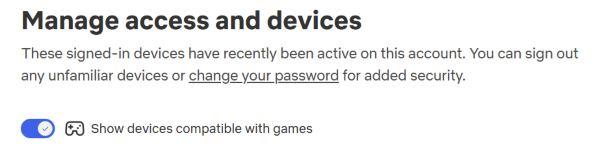
Sign in to your Netflix account on a mobile device. Go to Profile, Account, and Access and Devices. Enable the ‘show devices compatible with games‘ to view the list of available devices you’ve previously signed into to see which can play games.
The main way to know if your device is compatible is whether it has a built-in camera. As your phone acts as the remote for these games, it’s highly likely the next device that pairs to your mobile is a laptop or PC. Televisions can play games, but only if there’s a cam built in. In our case, Netflix Games only worked on a web browser, allowing our phone to connect to the built-in camera.
If no device on your list is shown as compatible, you will need to sign into Netflix on a new device that has a camera.
Netflix Games compatibility: Countries list
Here are all countries where Unhinged and all other Netflix Games are available to play:
- Australia
- Austria
- Belgium
- Brazil
- Canada
- Finland
- France
- Germany
- Ireland
- Italy
- Mexico
- The Netherlands
- New Zealand
- Poland
- South Africa
- Spain
- Sweden
- Switzerland
- United Kingdom
- United States
Where to find Unhinged on Netflix
Once you know the game is available in your country and your devices are compatible, head on over to the Games tab on Netflix (between Films and New & Popular). This is only available if your device can launch games.
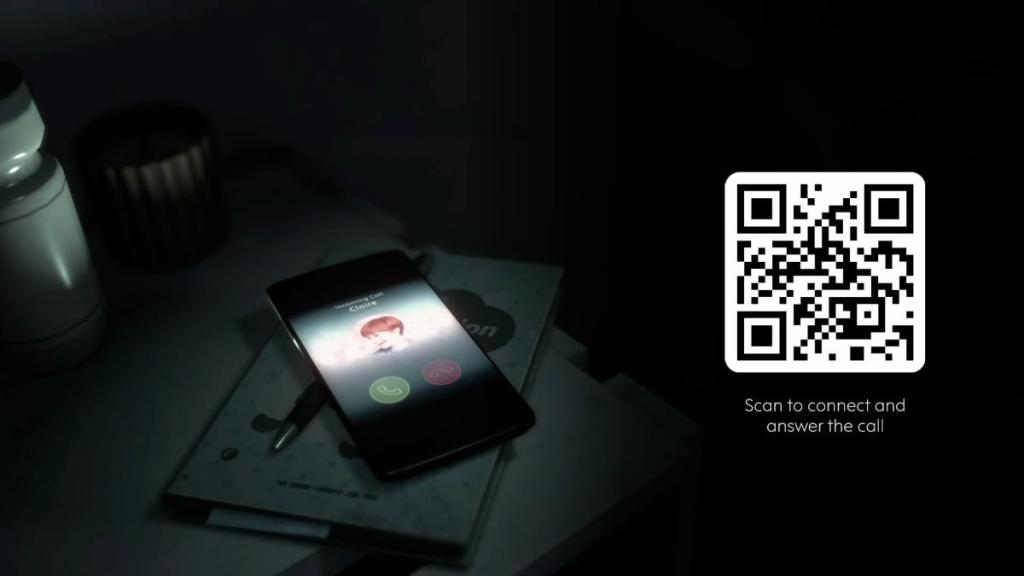
At the time of writing this article (and due to this being a new release), Unhinged appears at the top of the Games category on a web browser. Look for Unhinged either on television or PC, rather than the mobile app. Click ‘Play Game.’ Get your phone ready, as you need to scan the QR code to answer Claire’s call and connect your devices as one. This starts the game, where your phone acts as the controller.

You can exit the game on a browser by holding Esc, whereby the game will close but unsaved progress will be lost.


